A manufacturing execution system: what IT and OT have to settle
A manufacturing execution system is chosen by production and implemented by a software vendor, and then it runs on a network, servers and terminals that belong to IT. Whatever those parties did not agree shows up at the first outage. This is the list the IT side should have settled before an MES goes live.
An MES belongs in its own network zone between the office and the machines, with only the traffic it needs allowed through.
Most MES problems sit in the interfaces with the ERP and the machines; each one needs an owner, its own service account and monitoring.
We handle the network, terminals and management underneath; the MES software belongs to its vendor and the machines to the machine builder.
What a manufacturing execution system does, and where it sits
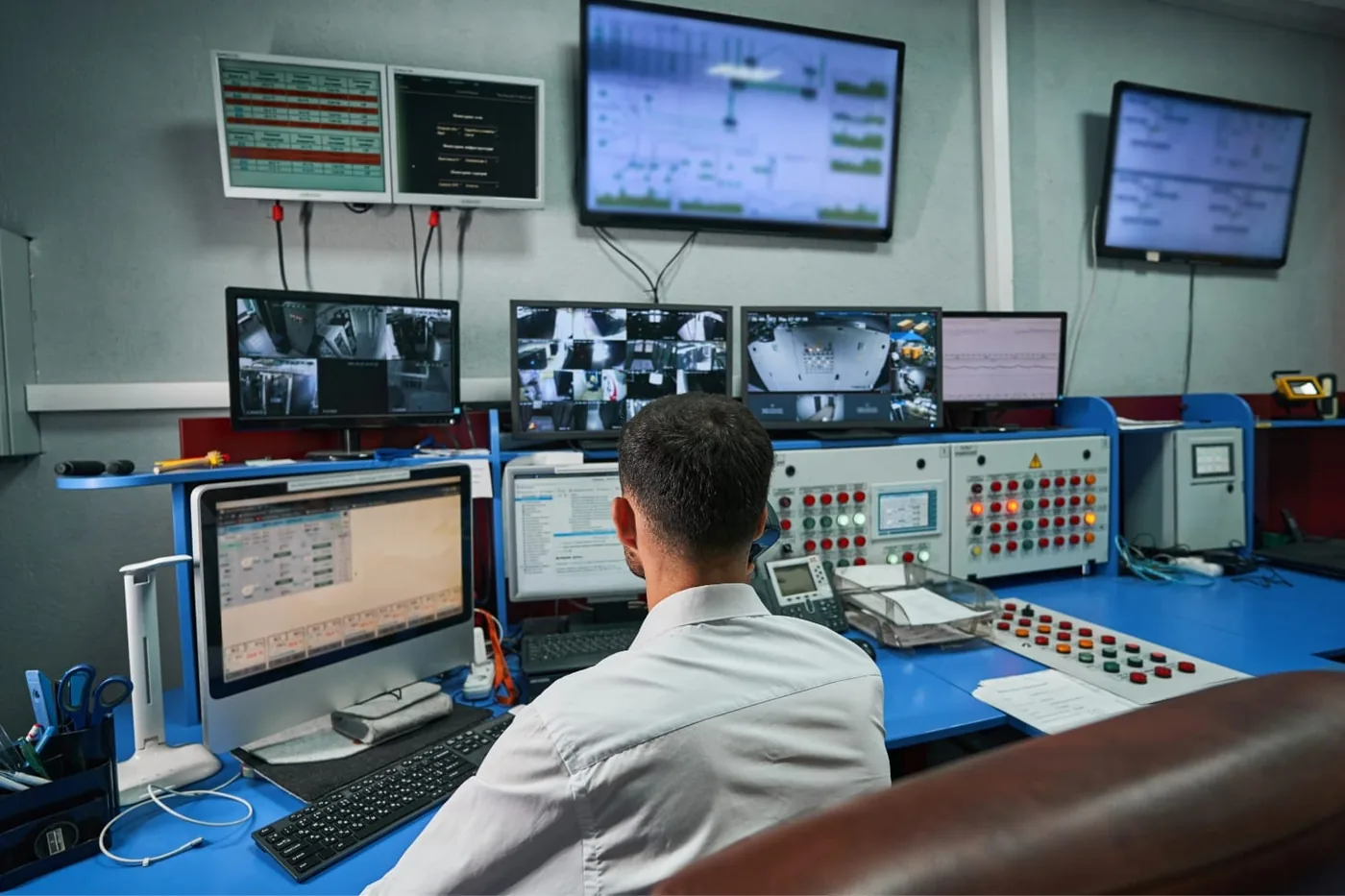
A manufacturing execution system sits between planning and the machine. The ERP says what has to be made, the machines and their controls do the work, and the MES records what actually happens: which order runs on which line, which batch received which material, how much passed and how much was rejected, and why a line stopped.
In the ISA-95 layer model that is level 3: above the machine controls (PLCs and SCADA) and below the business systems. The model is more useful to IT than it looks, because it tells you straight away where the MES belongs on the network: not on the office network and not among the machines, but in its own zone in between.
This article is not about which MES to buy or which functions you need; that is a conversation between production and the vendor. It is about what has to be right underneath and around it: the network, the interfaces, the shop-floor terminals and what you do when it stops.
Three parties, and who you ring at 3am
An MES involves at least three parties, and during an outage each of them assumes it is one of the other two. Agree before go-live who owns what:
- The MES vendor or integrator: the software, its configuration, the database and the interfaces they build.
- The machine builder: the machine, its controls and the software inside. Whether and how a machine shares data is their call, and any change to the PLC goes through them.
- IT, in-house or outsourced: the network, the servers or cloud environment the MES runs on, the terminals, accounts, backup and security.
Turn it into a table that names the first line for each type of fault. “The line is running but the MES shows no order” is a different problem from “the terminal won’t boot”, and an operator on the night shift should know who to call without asking anyone. Put in who approves changes too: an update that needs a restart affects production and should never happen quietly.
The network underneath a manufacturing execution system
The most common mistake is that the MES ends up on the office network because there was room there, and talks to the machines directly from it. You then have one flat network between a buyer’s laptop and the controls of a production line. How to separate the two is covered in our article on separating OT and IT in manufacturing. For an MES it comes down to this:
- A dedicated zone for the MES, with a firewall towards the office and another towards the machines. Only the traffic it needs gets through, by port and by destination.
- No direct path from the office to a machine. The ERP talks to the MES, the MES to the machines, and nothing skips a layer.
- Wired wherever possible. Fixed terminals and machines on cable; wireless for handheld scanners and tablets, with coverage measured on the shop floor rather than on a drawing, because steel racking and machinery absorb the signal.
- Know what happens when the network falters. Ask the vendor whether a station keeps recording locally and syncs later, or whether the line waits. The answer decides how much redundancy the network needs.
Interfaces with the ERP and the machines
An MES is only as good as its interfaces. At the top, orders, items and recipes come in from the ERP and completions and consumption go back. At the bottom, the MES reads counts, status and faults from the machines, over an open standard such as OPC UA or a manufacturer’s own protocol.
What IT records for each interface:
- Who builds it and who maintains it. An ERP update or a new machine will break an interface, and it has to be clear in advance who fixes it.
- A dedicated service account per interface, with only the rights it needs, and never the account of someone who will one day leave.
- A test environment. You do not test an interface change on a running line.
- Monitoring. An interface that fails silently turns into a stock discrepancy days later. An alert on the first failed transfer takes an afternoon to set up.
Terminals and workstations on the shop floor
Operator terminals are not office PCs, but they are often managed as if they were. Three differences matter:
- Shared devices. A terminal is used by a whole shift. Fast user switching with a badge or a short PIN works better than a shared account, and the MES then knows who recorded what.
- Locked versions. MES vendors often support only specific versions of the operating system and browser. An automatic update that is fine in the office can take a station out here. Agree per terminal type which updates may run and when, and roll them out to one station first.
- The environment. Dust, vibration, grease and gloves. Industrial screens, scanners and label printers belong in the asset register, with a spare in stock for the positions a line depends on.
Backup, updates and what to do when the MES stops
When the MES goes down, a line rarely stops at once, but after an hour nobody knows which batch is where. Agree three things before it happens:
- Backup with a restore test. The MES database belongs in the backup, and a quarterly restore test tells you more than the green tick in the backup software. Agree how much recorded data you can afford to lose at most.
- A fallback procedure. On paper or in a simple form, with a set way of entering it afterwards. If you never rehearse it, you will be inventing it during the outage.
- Maintenance windows agreed with production. Server, network and MES updates go into planned stops, on a calendar both IT and production can see.
If the MES runs in the cloud, add one question: what happens when the internet connection drops? A second connection over a different route, or a local component that keeps recording, is no luxury then.
What to ask the MES vendor before you sign
- Which ports and connections does the MES need, upwards and downwards? Ask for a list, not “open everything”.
- Which versions of operating system, database and browser are supported, and how quickly does support follow a security update?
- How does remote support work: over which route, with which accounts, and who opens and closes that access?
- What does a station do during a network interruption: buffer or wait?
- Who maintains the interfaces with the ERP and the machines after an update on either side?
- What data about employees does it hold, such as who recorded what or output per shift, and who may see it?
That last question matters under UK GDPR as well: the ICO has published guidance on monitoring workers, and a system that tracks individual output falls within it. Settle the purpose and who has access before go-live, not after.
Where our work stops
What we do. We set up the network underneath the MES: the zones and firewalls, the cabling and the shop-floor wireless with measured coverage. We manage the servers or cloud environment, the terminals on the floor, accounts, backup and security, and we agree maintenance windows with production. At the table with the MES vendor and the machine builder, we make sure every interface has an owner.
What we do not do. We do not sell or implement an MES; the software and its configuration belong to the vendor or integrator you choose. The machines and their controls belong to the machine builder: we do not change PLC programs or anything inside a machine. And we are not a building contractor or an installer: electrics, power supply and the plant installations belong to the installer. We run the data cabling up to the machine and mount the equipment.
Questions we get about this
The five that come up most often.
What is a manufacturing execution system?
A manufacturing execution system (MES) records what happens on the shop floor: which order runs on which line, which material went into which batch, how much passed and was rejected, and why a line stopped. It sits between the ERP, which plans, and the machine controls, which do the work.
What is the difference between ERP and MES?
The ERP plans and administers: orders, stock, purchasing and finance. The MES follows execution on the floor, by the minute and by the batch, and reports the result back to the ERP. They need each other, and the interface between them is one of the places where things most often go wrong.
Should an MES be on the same network as the machines?
No. The MES belongs in its own network zone between the office and the machines, with a firewall on each side and only the traffic it needs. That way the office has no direct path to a machine, and an infected laptop cannot reach production.
Can an MES run in the cloud?
Yes, many vendors offer that. Recording on the shop floor then depends on the internet connection. Ask whether a station keeps recording locally if the connection drops, and consider a second connection over a different route.
Do you implement the MES as well?
No. We do not sell or implement MES software; the vendor or integrator you choose does that. We set up the network, servers, terminals and management underneath. The machines and their controls stay with the machine builder, and electrics and installations with the installer.
Further reading
What an MES connects to.
An MES on the way? Get the network ready first
Send us your MES vendor’s network requirements and a floor plan of the plant. We will tell you which zones, cabling and wireless it needs, and what is missing today.
Practical IT knowledge in your inbox
New guides on management, security and the workplace, written by the people doing the work. No sales talk, and you can unsubscribe in one click.