Edge computing: when a server stays in the shop or the factory
Edge computing sounds like a new architecture, but in a shop or factory it is an old question: what has to keep working here when the line to the outside world goes down? The answer is rarely “everything” and rarely “nothing”. This piece is about deciding what runs locally, where that small box then lives, and how to manage twenty of them as if they were one.
Edge computing means part of the processing happens at the site itself rather than in a data centre or the cloud. In a shop or factory the reason is almost always the same: it has to keep working when the line is down.
Four questions decide what stays local: does it work without the line, how fast must the answer come, how much data is produced, and may that data leave the building?
The hard part is not the server but managing many small sites: one standard, remote management, replace rather than repair, and a backup that also lives off site.
Edge computing: processing where the data is created
With edge computing, part of the processing takes place where the data is created: in the shop, in the warehouse, next to the production line. The rest stays central, in a data centre or the cloud. So it is not an alternative to the cloud but a division of labour: what has to be here stays here, the rest goes to the centre.
Shops and factories have done this for a long time under other names: the till server in the back office, the PC next to the machine, the camera recorder. What edge computing adds is that you stop treating those boxes site by site and manage them centrally as one environment. That is the difference between twenty forgotten servers and one managed service in twenty places.
What has to stay local: four questions
Do not start with the hardware but system by system, with four questions. If the answer to all four is “no”, the system belongs in the centre.
- Must it keep working when the internet line is down? A till that stops issuing receipts during an outage, or a line that halts because a label cannot print, costs revenue immediately. A management report that arrives an hour late does not.
- How fast must the answer come? A camera rejecting a product on the belt has no time for a round trip to a data centre. A schedule recalculated overnight does.
- How much data is produced? Video or machine data that runs day and night is not something you want to push over the line in full. Processing locally and sending only the result or an extract saves bandwidth.
- May the data leave the building? Sometimes a customer agreement, an internal policy or a privacy reason means footage or production data stays on site.
What remains after those four questions is usually smaller than expected. That is good news: every system that can run centrally is one you do not have to manage in twenty places.
In the shop: tills, cameras and what keeps running during an outage
Most shops do not need a full server. They need a good line, a second path for when it fails, and a till system that can run on its own for a while. Ask your EPOS supplier what runs locally and how long the tills can keep going without a connection: that decides whether a box in the back office is needed, and what goes on it.
What typically stays local in a shop:
- Tills in offline mode, with a local buffer that forwards transactions later.
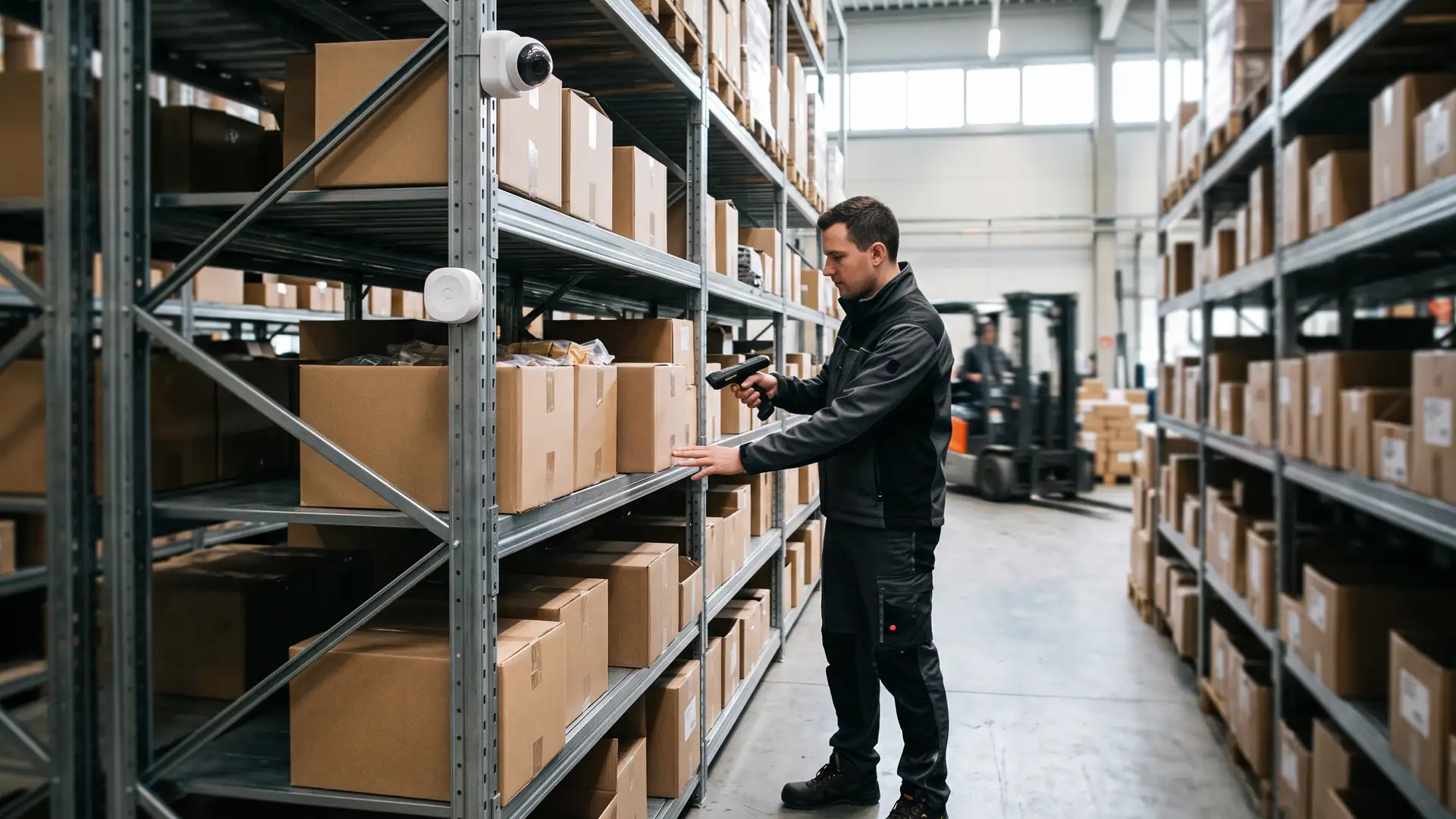
- Camera footage, recorded on site. Only footage you actually need leaves the building.
- Devices that never need to leave the premises: label printers, scales, handheld scanners for stock.
The trap is the shop where that one box sits under the counter, is never updated and is only noticed when it fails. Put it under the same management as everything else; what that looks like per store is on our page about retail IT.
In the factory: close to the line, behind a boundary
In manufacturing the reason for local processing is more often speed and continuity than bandwidth. A vision system checking products, a system collecting machine data, label and pallet printing: they have to work at the pace of the line, even when the office network or the internet connection is briefly down.
Three things to settle:
- Where the edge server sits in the network. It belongs at the boundary between the machines (OT) and the office network (IT), in its own segment, with only the connections it needs. A server hanging freely in both networks is the bridge an attacker is looking for.
- What happens to data when the link to the centre drops. Buffer and forward later, or let it go? Decide per data flow.
- Who manages the software on the line. Often that is the machine builder or a systems integrator. Agree who may update what, and when: an update during a shift is downtime.
If an MES or another production application runs on that server, it comes with its own arrangements with its supplier. Edge computing is about the layer underneath: hardware, network, management and recovery.
Where the edge server lives, and what it has to cope with
An edge server almost never sits in a tidy server room. It sits in a back office, a plant room or a cabinet on the shop floor, and that brings requirements a data centre handles for you:
- Locked away. Not under a desk where someone unplugs it to charge a phone.
- Built for its surroundings. Dust, heat and vibration on a factory floor call for different hardware from an office: often a compact, fanless or industrial model.
- A UPS. So a short power cut does not leave a hung system or damaged data, and the server shuts down cleanly if it lasts longer.
- Remote management, even when the system hangs. A management port independent of the operating system is the difference between a restart from the office and an engineer in a van.
What a room otherwise needs in cooling, power and access is in our piece on server room requirements; at a small site it is a smaller version of the same list.
Managing twenty small servers as one
One edge server is manageable. Twenty is a management problem, and that is usually where it goes wrong. What works:
- One standard. The same model, the same build, the same version at every site. Each exception is a site where an update behaves differently.
- Central monitoring and patching, with maintenance windows that fit opening hours or shifts, not the support team’s office hours.
- Replace rather than repair. A spare unit in stock, built in advance, that someone on site only has to plug in. Recovery in an hour instead of a day.
- Backup on site and off site. On site for fast recovery, off site for when the location itself is the problem: fire, break-in, flooding.
- Who is on site. Record per location who can reseat a cable or swap a unit when remote management is not enough.
What edge computing costs, and what drives the price
There is no fixed price per site, but there is a list that determines it. The number of sites and how alike they are. The class of hardware: an office model or an industrial one. How much redundancy you want per site: one unit with a spare in stock, or two that cover for each other. How quickly someone has to be on site. And licences charged per device or per location.
Set that against the cost of the alternative: heavier lines to process everything centrally, and downtime when that line fails. Edge computing is cheap where it does little and is well built, and expensive where every site becomes its own small IT department.
Where our work stops
What we do. We help decide what has to run locally and what can be central, supply and install the hardware, set up the network and segmentation, and manage the servers remotely with monitoring, updates, backup and a spare unit. On site we come with our own local engineers, in every country.
What we do not do. The applications on that server belong to third parties: the till software to the EPOS supplier, the MES to the MES vendor, the machine controls to the machine builder or integrator. We do not build machines or program controllers. A payment terminal comes from the payment provider; we do not process payments. We make sure the layer those systems run on works.
Questions we get about this
The five that come up most often.
What is edge computing?
Edge computing means part of the processing happens where the data is created, such as a shop or a factory, rather than in a data centre or the cloud. The rest stays central. It does not replace the cloud; it divides the work, keeping local what has to be local and central what can be central.
What is the difference between edge computing and cloud computing?
Cloud computing processes data centrally, in a provider’s data centre. Edge computing does part of the work at the site itself, because it has to keep running without a line, respond quickly or produces too much data to send in full. In practice most organisations use both side by side.
Does every shop need its own server?
No. Many shops manage with a good line, a second path and a till system that can run on its own for a while. A local box is needed when there are systems that must keep running without a connection or produce a lot of data, such as cameras. Ask your EPOS supplier what has to sit locally.
How do you manage servers across dozens of sites?
With one standard for hardware and build, central monitoring and patching outside opening hours or shifts, and a pre-built spare unit that only needs plugging in on site. Backups live both on site and off site. Record per location who can physically do something when needed.
Do you also manage the till software or the machine controls?
No. The applications belong to their own suppliers: the till software to the EPOS supplier, the MES to the MES vendor and the controls to the machine builder or integrator. We supply and manage the layer underneath: hardware, network, operating system updates, backup and recovery.
Further reading
What edge computing connects to.
What has to keep running on site?
Send us the list of systems per shop or per factory. We will go through the four questions with you and tell you what has to stay local, what can be central and how to keep all those sites manageable.
Practical IT knowledge in your inbox
New guides on management, security and the workplace, written by the people doing the work. No sales talk, and you can unsubscribe in one click.