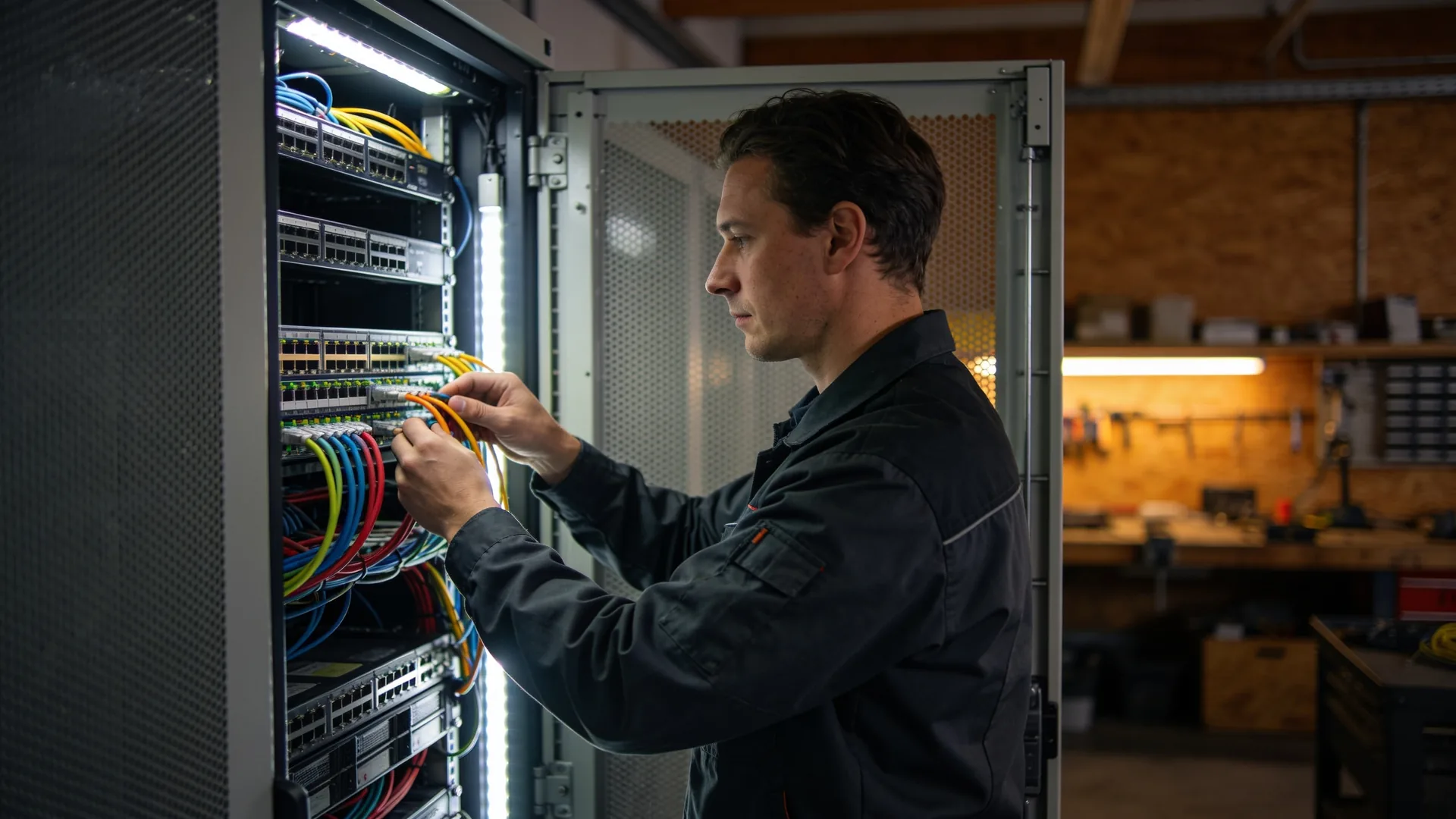
Remote hands: someone on site in a data centre or branch you cannot reach yourself
Remote hands is someone in a data centre or branch who does what you cannot do from a distance: move a cable, hard-reboot a server, swap a disk. It works as well as the instructions you give. This is what to arrange in advance, so that the one action at two in the morning is also the right one.
Remote hands is someone on site who carries out a physical task at your request; smart hands is the level that needs technical knowledge. Read what each provider includes.
The work order decides the outcome: the exact location, a label to check, steps with the expected result, what not to touch, and a photo before and after.
Out-of-band management, switchable power and spare parts on site make most of those work orders unnecessary.
What remote hands and smart hands are
Remote hands is a service in which someone at a location where you are not carries out a physical task at your request. In a data centre that is usually the data centre’s own staff; in a shop, office or branch in another country it is a technician from your IT partner or a local firm.
Many data centres distinguish two levels, although the name differs by provider:
- Remote hands: simple, scripted tasks. Power a device off and on, move a cable according to a label, read the status lights and send a photo, receive a delivered box.
- Smart hands: work that needs technical knowledge. Rack and connect a server, replace a failed disk and check the rebuild, work through a fault while you watch.
Read what each level covers in every offer. “Remote hands included” can mean that a reboot is free and everything beyond it is billed per quarter hour.
When you need someone on site
- Equipment in colocation. Your servers sit in a data centre that is not around the corner, and one has stopped responding to remote management.
- A branch without IT. A shop where nobody can tell a switch from a router, and an access point needs reconnecting.
- A site in another country. An office or warehouse where you have no people of your own and do not want to pay a day of travel for one cable.
- Planned work at an awkward time. A maintenance window at night or at the weekend, where someone has to be physically present if it goes wrong.
In all four the question is the same: what does it take for someone who does not know your environment to get the task right? Most of the answer lies in the preparation.
A work order that cannot be misread
Most failed remote hands requests go wrong not because of the technician but because of the request. “Reboot the server in rack 12” is a guess in a row of twenty identical servers. What belongs in it:
- The exact location: site, hall, row, rack and the rack unit position.
- Identification: the label, the serial number or the name on the display, so the technician can confirm he is at the right device.
- Steps in order, with what he should see after each one: a light turning green, a port lighting up.
- What not to do: touch no other cables, and stop if a step gives a different result than expected.
- Evidence: a photo before and after, and the start and end times.
- Who is reachable: a number for someone who is watching and allowed to decide if things go differently.
Write the order so that someone who has never seen your environment can carry it out without calling. If he still has to call, you know what to improve in the next one.
Access, identity and the disk that comes out
A data centre only admits people on the access list, and a branch should do the same. Agree in advance who may raise requests on your behalf, how a technician identifies himself and which channel makes a request valid. A phone call from someone who says he is from IT is not a request.
- Never give passwords over the phone. If someone has to log in, use a temporary account or have him open a console session that you take over.
- A disk stays yours. If someone replaces a failed disk, record where the old one goes: back to you, wiped with proof, or destroyed with a certificate. A disk that disappears into a warranty return box is a data breach waiting to happen.
- One ticket number per request, so every action can be traced afterwards, including at the data centre.
Make sure you need it less often
The cheapest remote hands request is the one you never have to raise. A few measures remove most of the physical work:
- Out-of-band management: the server’s management port (iDRAC, iLO or IPMI) and a console server on a separate connection, so you can reboot a server and see its screen when the normal network is down.
- Switchable PDUs, so you can power-cycle a hung device remotely.
- Labels on both ends of every cable, and an up-to-date rack layout with a photo.
- Spare parts on site: a disk, a power supply, a few patch leads. Waiting for a part often takes longer than the work itself.
The same applies to a branch: a router and access points you can restart remotely, and a spare that someone on site can swap. If you are moving equipment to another facility, build this into the plan; see data centre migration.
What drives the price, and the data centre or your own partner
Remote hands is usually billed per task, per quarter hour or per hour, or as a bundle of hours per month. What drives the price:
- The level: a reboot costs less than racking a server.
- The time: inside or outside office hours, and how quickly someone must be there.
- The minimum: many providers charge a minimum per request, even for five minutes of work.
- Urgent or planned: a request planned a day ahead is almost always cheaper than one needed now.
Then the choice between the data centre and your own partner. Data centre staff are already there and know the building, but not your environment: they carry out what is written. A partner who manages your environment knows what should happen and can judge for himself, but has to travel. In practice you combine them: the data centre for the simple task now, the partner for work that needs knowledge or can be planned.
Where our work stops
What we do. We manage servers, networks and workplaces remotely and write the work order when something physical has to happen. Our own local engineers come on site in every country, in a data centre as well as in a shop or office, and for an outage that is a matter of hours. We do not subcontract that work.
What we do not do. We do not have our own data centre and we do not rent out rack space. Access, power, cooling and the house rules of the building belong to the data centre, and are not ours to decide. Nor are we a contractor: electrical circuits and building work in a server room or shop are for an electrician or installer.
Questions we get about this
The five that come up most often.
What is remote hands?
Remote hands is a service in which someone at a location where you are not carries out a physical task at your request: rebooting a device, moving a cable, reading a status light. In a data centre that is usually the facility’s own staff; elsewhere, a partner’s technician. It works as well as the work order you give.
What is the difference between remote hands and smart hands?
Remote hands is simple, scripted work that someone without knowledge of your environment can carry out. Smart hands needs technical knowledge, such as racking a server or working through a fault together. The line differs by provider, so read what each level covers and how it is billed.
What should a remote hands work order include?
The exact location down to the rack unit, a label or serial number to confirm the device, the steps in order with what should be visible after each one, and what must not be touched. Ask for a photo before and after, and name who is reachable if things go differently.
How do you reduce the need for remote hands?
With out-of-band management, such as the server’s management port and a console server on a separate connection, with switchable PDUs and with spare parts on site. You can then restart most things remotely yourself, and someone only has to come for what is genuinely physical.
Do you provide remote hands in a data centre?
Our own local engineers come on site in every country, including in data centres, and for an outage within a few hours. We do not subcontract that work. We have no data centre of our own and do not rent out rack space; access, power and cooling belong to the data centre.
Further reading
What remote hands connects to.
Is there equipment you cannot reach yourself?
Tell us where your sites and racks are. We will say what can be done remotely, what to prepare in advance and who comes when something physical has to happen.
Practical IT knowledge in your inbox
New guides on management, security and the workplace, written by the people doing the work. No sales talk, and you can unsubscribe in one click.