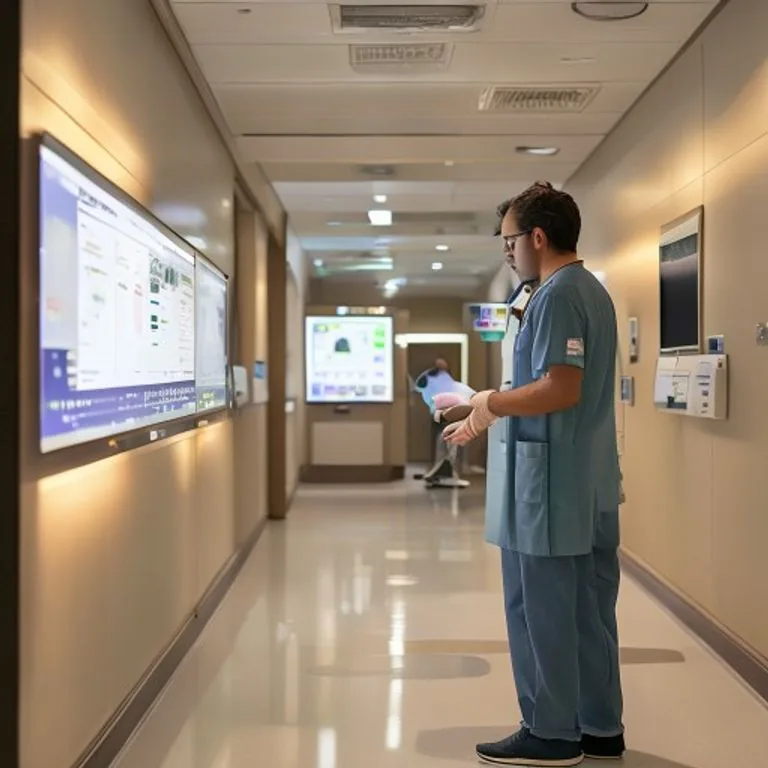
Healthcare IT: shared workstations and uptime
A care system that refuses to open costs time nobody on a ward has to give. The technical requirements are ordinary; the constraint is that the work cannot pause while you fix something.
Healthcare IT differs from office IT in three ways: workstations are shared by people who switch every few minutes, devices and users move between rooms and floors all day, and there is no acceptable window in which the system can simply be down.
That makes login speed, roaming quality and availability the design priorities, ahead of raw performance. A workstation that takes ninety seconds to switch user is a clinical problem, not an IT annoyance.
Confidentiality obligations sit on top of all of it, which means access control and logging have to be right without adding steps at the bedside.
Shared workstations are the whole problem
In an office, a person logs in once in the morning. On a ward, a workstation may serve fifteen people across a shift, each for a couple of minutes. Every second of login time is multiplied by that number, and it is spent standing in a corridor.
The fixes are unglamorous and effective: profiles that do not load a network drive at sign-in, cached credentials so authentication does not depend on a round trip, session switching rather than full logoff, and badge or card sign-in where the organisation supports it. Together these turn ninety seconds into ten.
People move, and so does the session
Care work happens in the room, not at the desk. That means wireless has to hand over cleanly between access points as someone walks a corridor with a tablet or a mobile workstation, and the session has to survive that handover.
Wards are difficult radio environments: lead-lined rooms, metal doors, dense equipment and a great deal of interference from devices that are not networking equipment at all. Measuring with Ekahau under real conditions rather than modelling from a floor plan is the difference between coverage on paper and coverage at the bedside. The method is under Wi-Fi analysis.
There is no maintenance window
Retail has quiet Tuesdays. Manufacturing has planned shutdowns. A care location has neither, which changes how every change is planned.
| Practice | Why it matters here |
|---|---|
| Change in small increments | A small change can be reversed in minutes; a large one cannot |
| Rollback tested before the change | Discovering the rollback does not work is not survivable at three in the morning |
| Redundant paths as standard | A single line to a care location is a clinical risk, not a cost saving |
| Staffed out-of-hours cover | Night shifts are working shifts, so support has to be awake too |
Confidentiality without adding steps
Access to patient records has to be controlled and logged, and at the same time nobody should be entering a second password while holding a patient file. Those two requirements pull against each other, and the answer is single sign-on with a strong first factor rather than repeated authentication.
What we look for: role-based access rather than individually granted rights, logging that records who opened what and is retained long enough to answer a question months later, and an offboarding process that removes access the same day. The last one is where most audits find something.
What happens when it does go down
Every care location should be able to answer two questions without looking anything up: what do we do for the next hour, and who do we call. A printed downtime procedure at the nursing station is old-fashioned and it works.
Behind that, backup and recovery need agreed times that were actually tested, not assumed. How we set and demonstrate those is described under data and business continuity.
Devices take a beating
Equipment on a ward gets cleaned with disinfectant several times a day, dropped occasionally, and shared by people who did not choose it. Consumer-grade devices do not last, and the replacement cycle costs more than the saving on purchase.
We specify for the environment: sealed or wipeable surfaces, accidental damage cover as standard rather than an upsell, and a spare pool on site so a broken device is a swap rather than a wait. Scanners and mobile computers from Zebra fill the same role here as they do in logistics, for medication and specimen tracking.
Questions we get about this
What care organisations ask us most.
Why is logging into a shared workstation so slow?
Usually because the profile loads across the network at sign-in, or because authentication depends on a round trip that is slower than it should be. Cached credentials, a lighter profile and session switching instead of full logoff typically bring ninety seconds down to around ten.
Can you support care locations at night and at weekends?
Yes, with staffed cover rather than an on-call phone. Night shifts on a ward are working shifts, so support that only wakes up when called is not really cover. Our own people work the night as a shift.
How do you handle changes when there is no downtime window?
Small increments, a rollback that has been tested before the change goes in, and redundant paths so a single component can be worked on without the location noticing. Anything that cannot be done that way is planned with the location rather than around it.
What about confidentiality requirements?
Role-based access rather than individual grants, logging retained long enough to answer a question months later, and same-day removal of access when someone leaves. The aim is control that does not add a step at the bedside, because a control people work around is not a control.
Where this lands in our work
Where care work sits.
Want this looked at for your own sites?
Half an hour on a call is usually enough to tell you whether we are the right party for it, and we will say so if we are not.